Cache Admin
The cache admin browses cache keys, shows their values, and adds, edits and deletes entries.
Installation
Add django_cachex.admin to INSTALLED_APPS:
INSTALLED_APPS = [
    # ... other apps
    "django.contrib.admin",
    "django_cachex.admin",  # Cache admin interface
]
Permissions
Superusers have every permission. Staff users need Django permissions of two kinds: the model permissions say what they can do, and one permission per cache says where.
django_cachex.view_cache/view_key: view caches and keys.django_cachex.change_cache: the cache list's Flush action, the key browser's Clear tool and the cache info page's danger zone, when turned on. All three delete keys.django_cachex.add_key: create keys.django_cachex.change_key: edit values and TTLs and run the type operations on the key detail page. Without it, the page shows no edit controls.django_cachex.delete_key: delete keys.django_cachex.access_<alias>, one per alias inCACHES, shown as "Can access keys in cache ''": use the permissions above on that cache's keys.
Every key operation needs both kinds, so view_key with access_default lists the keys of the default cache and of no other. A TrackingCache alias keeps its keys in its transport alias, so its key operations also need the transport's permission.
Some operations reach past one alias and need the permission of every alias in CACHES:
- The danger zone's Flush database runs
FLUSHDB, which removes every key in the database, whichever alias wrote it. - The Clear tool and the Flush action on Django's own
RedisCache, which clears withFLUSHDB, and on the memcached backends, which clear withflush_all. - The slow log on the cache info page covers the whole server, and its arguments hold the key names and values of every client. Without every alias, it shows the command names only.
The permissions do not check other aliases that share a cache's storage. On LocMemCache, DatabaseCache and FileBasedCache, the Clear tool and the Flush action delete every key at the LOCATION, and on the Valkey and Redis backends, Clear all versions deletes every version under the KEY_PREFIX. Give each alias a LOCATION of its own.
The cache list and the cache info page's configuration and server statistics need only view_cache.
migrate creates the access_<alias> permissions. After adding an alias to CACHES, run migrate again; until then, only superusers can use that cache's keys.
Sessions
The key of a cached session holds the session id, the value of the session cookie, so whoever can list those keys can take over the sessions. Django's SESSION_CACHE_ALIAS defaults to "default", which puts sessions next to everything else. Point it at a cache of its own and grant that cache's permission only to staff who can be trusted with session ids:
CACHES = {
    "default": {
        "BACKEND": "django_cachex.cache.ValkeyCache",
        "LOCATION": "valkey://127.0.0.1:6379/0",
    },
    "sessions": {
        "BACKEND": "django_cachex.cache.ValkeyCache",
        "LOCATION": "valkey://127.0.0.1:6379/1",
    },
}
SESSION_ENGINE = "django.contrib.sessions.backends.cache"
SESSION_CACHE_ALIAS = "sessions"
The key list of an alias shows the keys under its KEY_PREFIX and VERSION at its LOCATION, so two aliases that share all three list each other's keys.
Flushing Caches
The Flush action, the Clear tool and the danger zone delete keys in bulk, so they are off by default, for superusers too. To turn them on, set:
They still need the change_cache permission and the permission of the cache, or that of every cache where they empty a whole database or server. While they are off, the admin hides them and refuses their requests.
Support Levels
The cache list badges each cache "cachex" or "limited". The Valkey and Redis backends, LocMemCache and DatabaseCache are "cachex" and get the features in Backend Abilities. Stock Django backends (django.core.cache.backends.*), custom backends and TrackingCache are "limited", with no key browsing.
Switch Django's stock LocMemCache or DatabaseCache to django_cachex.cache.LocMemCache or django_cachex.cache.DatabaseCache, their drop-in replacements, for full support. To replace Django's stock Redis backend with ValkeyCache or RedisCache, follow the migration guide.
Browse and edit the keys of a TrackingCache alias on its transport alias, which has the "cachex" badge.
Browsing a cluster alias
RedisClusterCache, ValkeyClusterCache and ValkeyGlideClusterCache have the "cachex" badge. Their key browser stays empty. The key detail page (opened by key name), Add key, Flush and the danger zone work as usual.
Views
Caches
In the cache list, a cache's name opens its info page, and its List Keys link opens the key browser. The info page shows the configuration and, where the backend reports them, the server, memory, clients, statistics, keyspace and slow log sections.
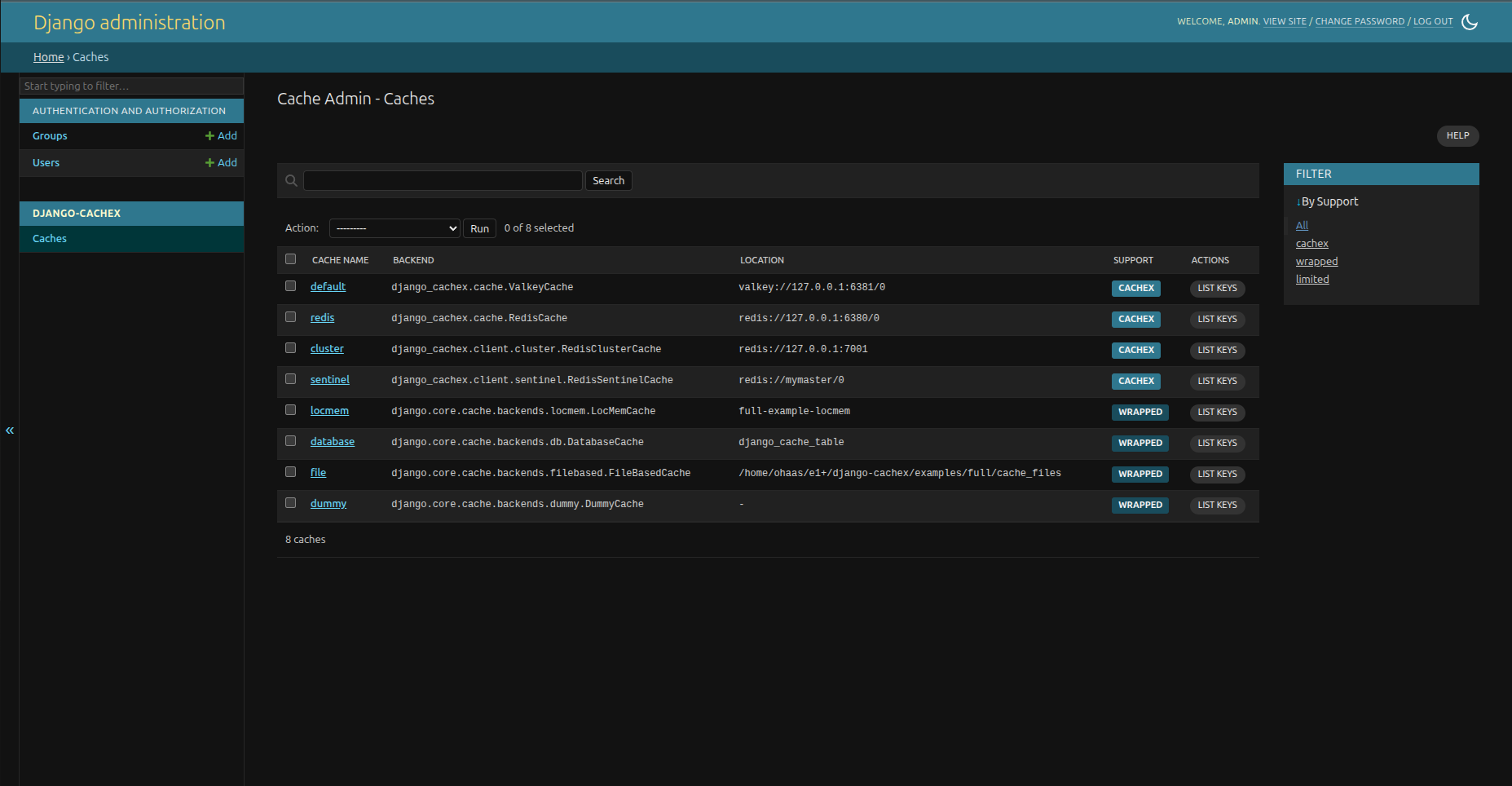
The Flush action calls cache.clear() on the selected caches. On the Valkey and Redis backends, clear() deletes only the keys that match the alias's KEY_PREFIX and VERSION. On LocMemCache and DatabaseCache, it deletes every key of every version, along with those of any other alias with the same LOCATION. To run FLUSHDB, use the danger zone on the cache info page. Django's own RedisCache runs FLUSHDB in clear(), so Flush on it empties the whole database, and the memcached backends run flush_all, which empties the whole server.
The admin masks the password of every connection URL it shows as ***, on pages and in messages.
Key Browser
The key browser pages through a cache's keys with their type, TTL and size. Search with * as a wildcard, as in user:*. Select keys to delete them in bulk.
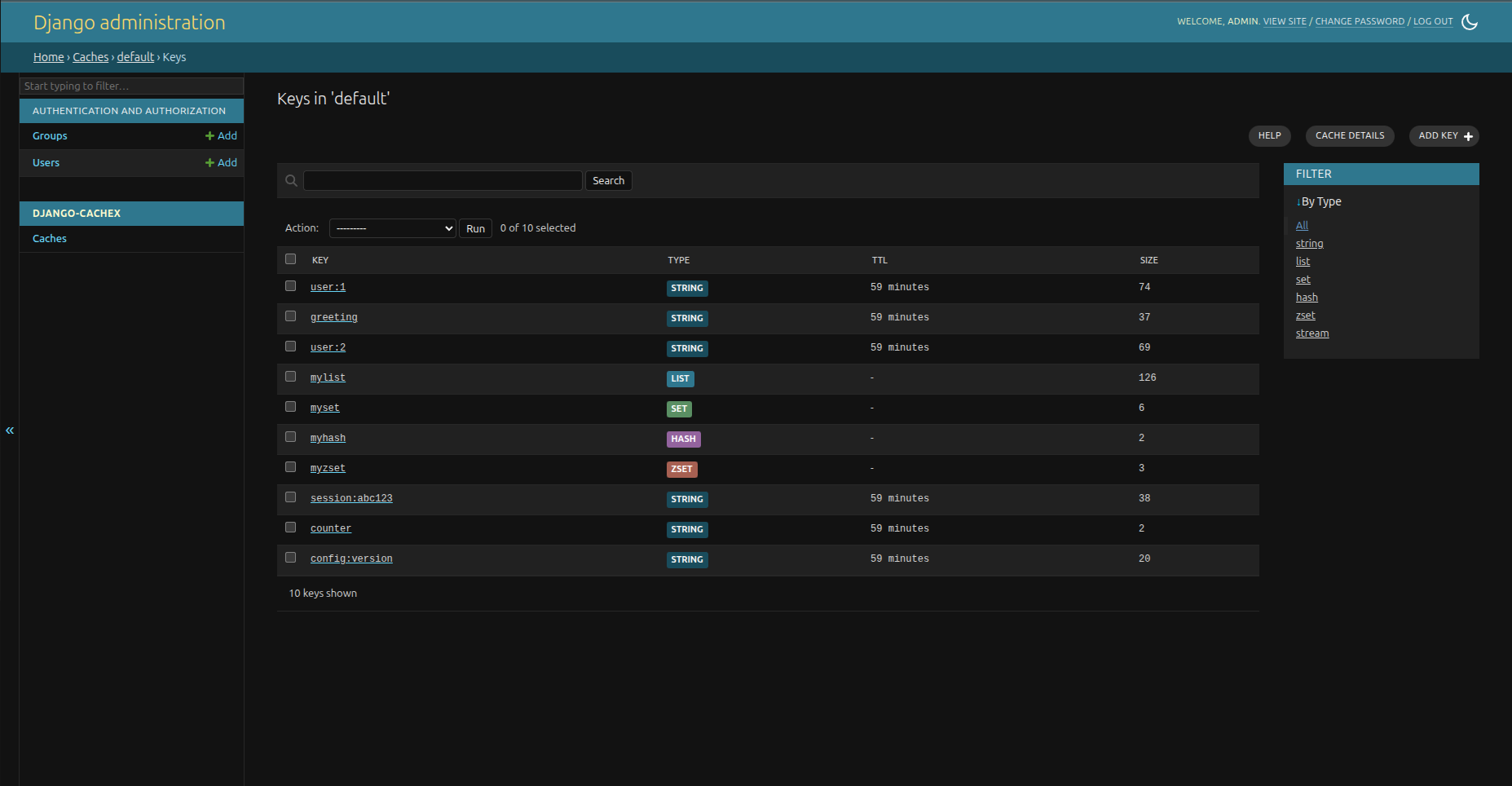
The Add key tool asks for a key name and a data type: string, list, set, hash, zset or stream. Its Continue button opens the key detail page without writing. The first value you add there creates the key.
Key Detail
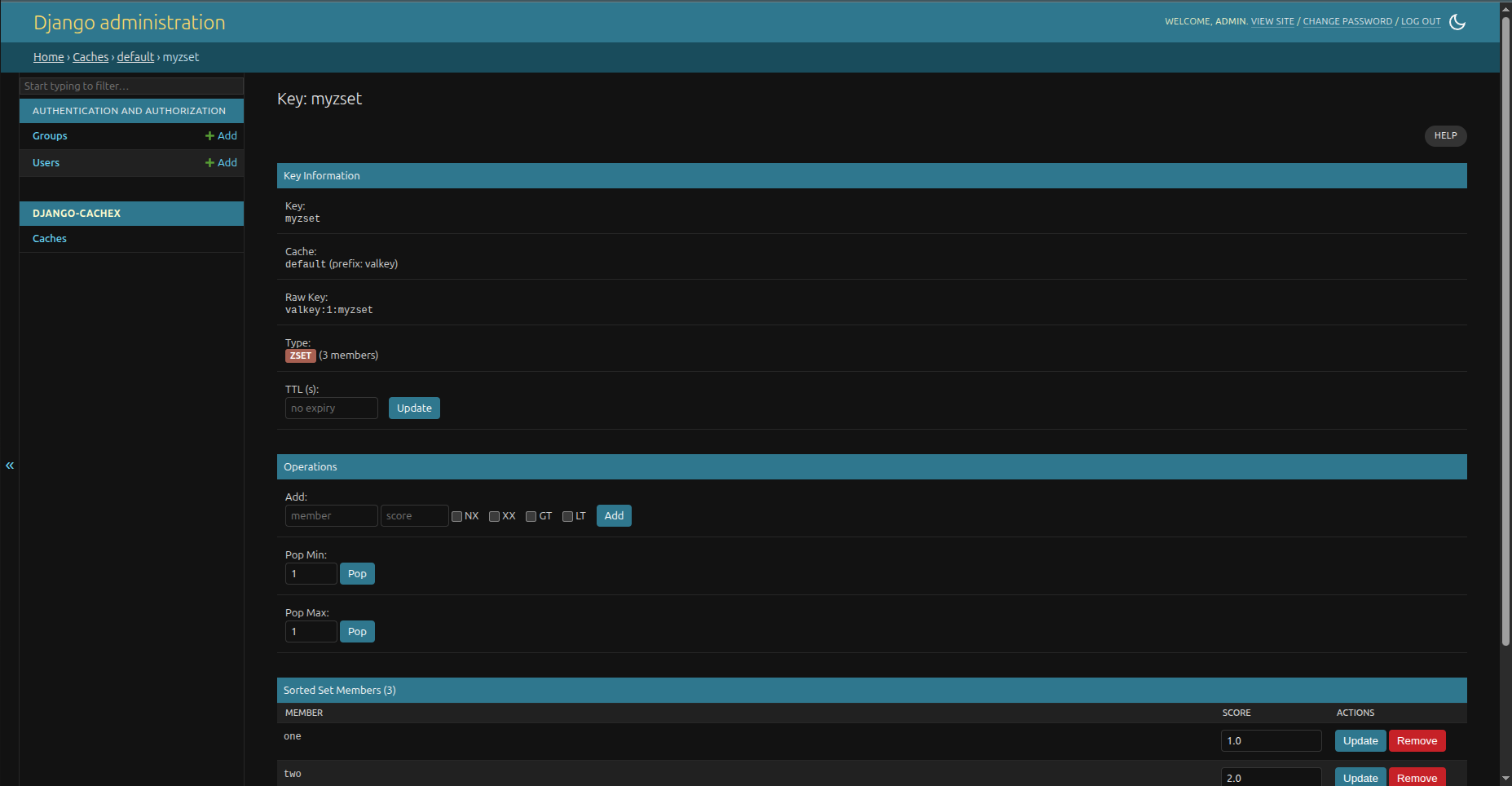
The key detail page shows and edits a key's value and TTL, runs the operations for its data type, and deletes it. Enter valid JSON to store an object or array.
The admin rejects an edit if the key's type changed after the page loaded. On the Valkey and Redis backends, it also rejects an edit if the value changed.
A key of a type the admin cannot render is read-only, apart from Delete and the TTL form. The stock Django backends have no type(), so their key pages allow only Delete.
The page shows a string value over 1 MiB, before or after decompression, as its size, with Delete and the TTL form. On the Valkey and Redis backends, it does not read a value stored in over 1 MiB.
Backend Abilities
| Feature | Valkey and Redis backends | LocMemCache, DatabaseCache |
Stock Django backends |
|---|---|---|---|
| List keys | Yes, except cluster | Yes | No |
| Get key | Yes | Yes | Yes |
| Delete key | Yes | Yes | Yes |
| Edit key | Yes | Yes | No |
| Get and set TTL | Yes | Yes | No |
| Get type | Yes | Yes (no stream type) | No |
| Cache info | Yes | Yes, no slow log | Configuration only |
Flush cache (clear()) |
Yes | Yes | Yes |
| Danger zone (clear all versions, FLUSHDB) | Yes | No | No |
| Conflict detection on edit | Yes | Type changes only | No |