Cookbook
This guide builds one ticket form up from a single field to a searchable,
server-validated form that saves, takes attachments, and edits existing records
without re-validating untouched fields. Each step adds one capability. The
snippets show the code that a step adds and leave out most imports, the URL
configuration and the base template. The Person model has a name and an
email, PRIORITY_CHOICES holds (value, label) pairs, and steps 5 and 6
show parts of the Ticket model. See the
installation guide for the one-time CSS and
JavaScript setup.
Step 1: the form is the center
You render a form the normal Django way, and the default widgets take their styling from your DaisyUI theme.
# forms.py
class TicketTitleForm(forms.Form):
    title = forms.CharField(max_length=200, help_text="A short summary of the ticket.")
<!-- template.html -->
<form method="post">
  {% csrf_token %}
  {{ form }}
  <button type="submit" class="btn btn-primary">Create</button>
</form>
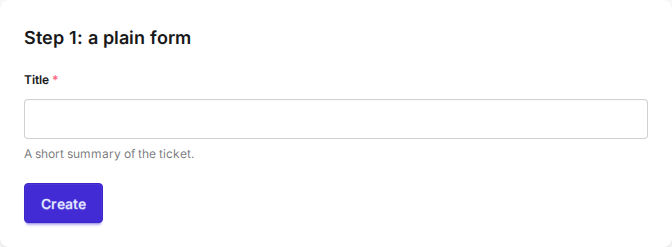
A plain text field needs no JavaScript. The richer widgets and the htmx
integration in the later steps do, so put the scripts from
installation step 5 in
the base template's <head> from the start: htmx, its alpine-compat extension,
{% formwork_js %}, then Alpine.
Step 2: richer widgets
Formwork widgets add styling and behaviour that the Django widgets lack, such
as a dropdown with search. Here the assignee is a Select backed by a model,
with an initials badge and the person's email shown for each option. The
priority stays a plain ChoiceField; standard fields and Formwork widgets mix
freely in one form.
# forms.py
from django.utils.html import format_html

from django_formwork import ChoiceLabel, FormworkForm, widgets


class PersonChoiceField(forms.ModelChoiceField):
    def label_from_instance(self, person):
        initials = "".join(part[0] for part in person.name.split()[:2]).upper()
        return ChoiceLabel(
            person.name,
            icon=format_html("<span class='badge badge-neutral badge-sm'>{}</span>", initials),
            description=person.email,
        )


def people(request):
    return Person.objects.all()


class TicketWidgetsForm(FormworkForm):
    title = forms.CharField(max_length=200)
    assignee = PersonChoiceField(
        queryset=Person.objects.all(),
        widget=widgets.Select(search_queryset=people, search_fields=["name", "email"], search_decorator=None),
        required=False,
    )
    priority = forms.ChoiceField(choices=PRIORITY_CHOICES)
The dropdown searches on the server. Wire the endpoint once:
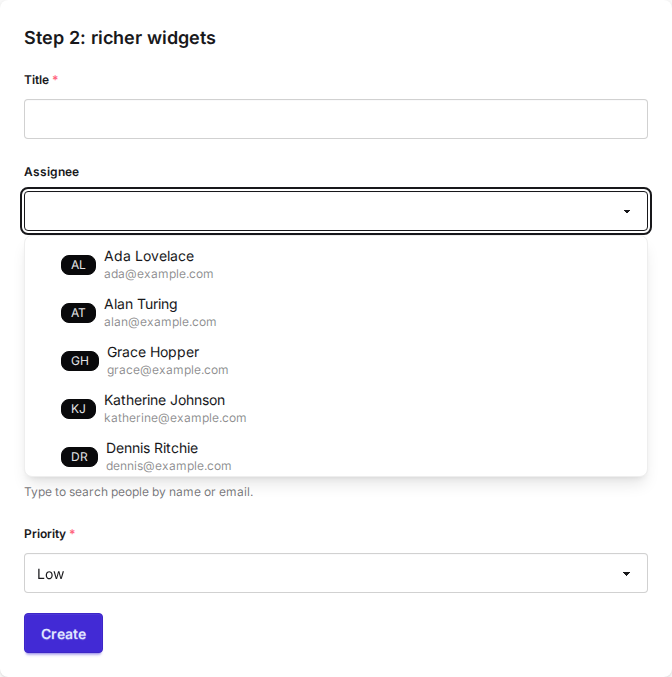
search_queryset returns the rows to search; the endpoint calls it with the
request. search_decorator is required. Pass an auth decorator such as
login_required to protect the endpoint, or None for a public one. The
ChoiceLabel icon is safe HTML; keep its attributes single-quoted so they nest
inside the widget's markup.
Step 3: server-side validation, still MPA
The server validates the form, and the page stays a multi-page app: htmx posts the form, the server renders it again, and htmx morphs the whole form back into the page, so the widget and focus state stay as they were.
# forms.py
class TicketValidatedForm(TicketWidgetsForm):
    def clean_title(self):
        title = self.cleaned_data["title"]
        if Ticket.objects.filter(title__iexact=title).exists():
            raise forms.ValidationError("A ticket with this title already exists.")
        return title
<!-- cookbook/_ticket_form.html -->
<form id="ticket-form" method="post"
      hx-post="{% url 'ck-step3' %}"
      hx-target="#ticket-form"
      hx-swap="outerMorph"
      data-formwork-dirty>
  {% csrf_token %}
  {{ form }}
  <button type="submit" class="btn btn-primary mt-4">Save</button>
</form>
The form tag lives in a partial that step3.html wraps in the full page; the
later steps reuse it, with the posting URL passed in as a variable. The view
returns only the partial for htmx requests:
# views.py
def cookbook_step3(request):
    if request.method == "POST":
        form = TicketValidatedForm(request.POST)
        form.is_valid()  # render any errors; the happy path arrives in step 4
        if request.headers.get("HX-Request") == "true":
            return render(request, "cookbook/_ticket_form.html", {"form": form})
        return render(request, "cookbook/step3.html", {"form": form})
    return render(request, "cookbook/step3.html", {"form": TicketValidatedForm()})
{% formwork_js %} registers the formwork-morph htmx extension, so the error
tooltip appears without a full page reload and in-progress input is preserved.
The title has no help text, so its error shows in a tooltip; a field with help
text shows it inline.
No hx-ext attribute is needed. The non-htmx branch keeps the plain form post
working when JavaScript is unavailable. data-formwork-dirty highlights fields
you have changed since the page loaded; it becomes useful on the edit form in
step 6.
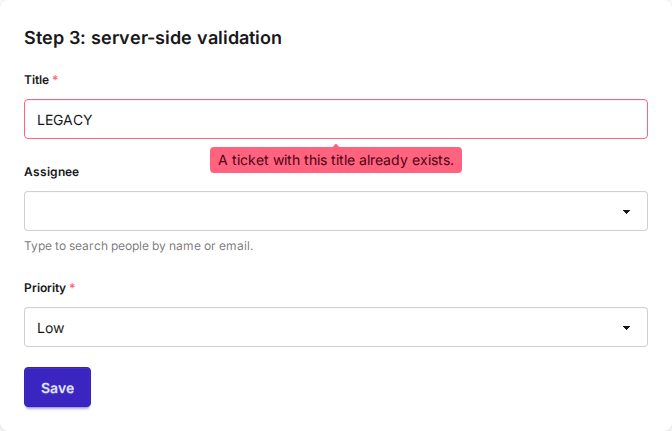
So far the view re-renders the form whether validation passed or not. Creating the ticket is the next step.
Step 4: save the ticket
Tie the form to the model with FormworkModelForm and the view gets a regular
form.save() happy path. is_valid() now runs the model's validators as well.
The assignee field and the clean_title rule move over from steps 2 and 3
unchanged.
# forms.py
from django_formwork import FormworkModelForm


class TicketCreateForm(FormworkModelForm):
    assignee = PersonChoiceField(
        queryset=Person.objects.all(),
        widget=widgets.Select(search_queryset=people, search_fields=["name", "email"], search_decorator=None),
        required=False,
    )

    class Meta:
        model = Ticket
        fields = ["title", "assignee", "priority"]

    def clean_title(self):
        title = self.cleaned_data["title"]
        if Ticket.objects.filter(title__iexact=title).exists():
            raise forms.ValidationError("A ticket with this title already exists.")
        return title
# views.py
def cookbook_step4(request):
    if request.method == "POST":
        form = TicketCreateForm(request.POST)
        if form.is_valid():
            ticket = form.save()
            url = reverse("ck-created", args=[ticket.pk])
            if request.headers.get("HX-Request") == "true":
                return HttpResponse(headers={"HX-Redirect": url})
            return redirect(url)
        if request.headers.get("HX-Request") == "true":
            return render(request, "cookbook/_ticket_form.html", {"form": form})
        return render(request, "cookbook/step4.html", {"form": form})
    return render(request, "cookbook/step4.html", {"form": TicketCreateForm()})
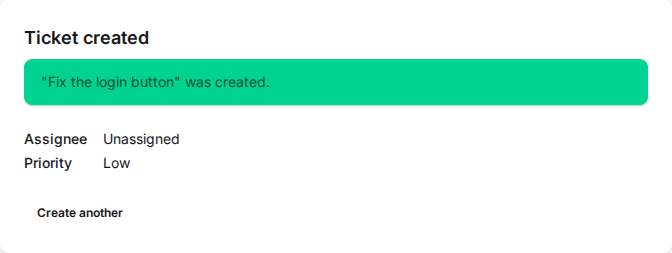
htmx submits the form with fetch, so a normal redirect response would be
followed in the background and morphed into the form. The HX-Redirect header
tells htmx to navigate the browser instead. The non-htmx branch is the usual
post/redirect/get.
Step 5: attachments
Tickets carry screenshots. Add an ImageField to the model and swap its widget
for a drop zone: drag an image in and a thumbnail preview shows before the
upload.
# models.py
class Ticket(FormworkModel):
    # title, assignee, priority, description ...
    screenshot = models.ImageField(upload_to="screenshots/", blank=True)
# forms.py
class TicketUploadForm(TicketCreateForm):
    class Meta(TicketCreateForm.Meta):
        fields = [*TicketCreateForm.Meta.fields, "screenshot"]
        widgets = {"screenshot": widgets.ImageDropzoneInput(max_size=5 * 1024 * 1024)}
Uploads change two things outside the form class. The form tag gains the
multipart attributes, and the view passes request.FILES:
<form id="ticket-form" method="post"
      enctype="multipart/form-data"
      hx-encoding="multipart/form-data"
      hx-post="{% url 'ck-step5' %}"
      hx-target="#ticket-form"
      hx-swap="outerMorph"
      data-formwork-dirty>
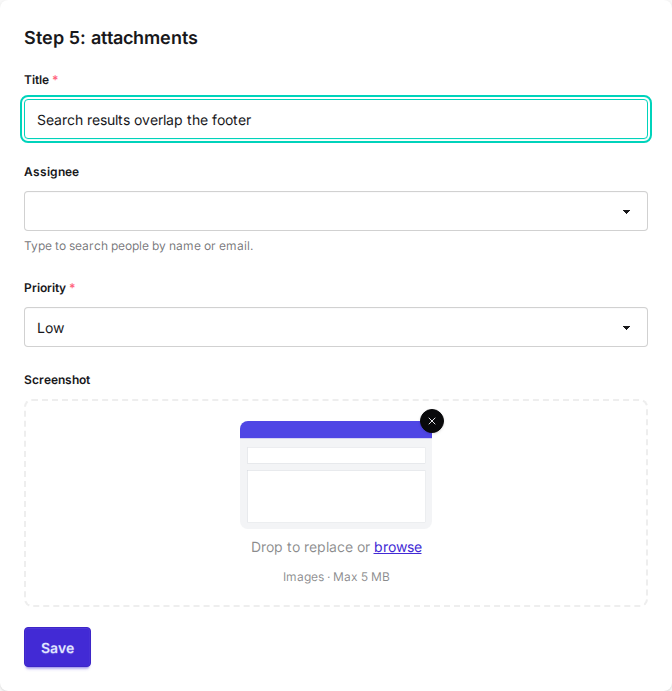
htmx does not read the form's enctype. Without
hx-encoding="multipart/form-data" it submits the fields urlencoded and the
file never reaches the server. enctype covers the no-JavaScript fallback,
so keep both. max_size rejects an oversized file in the browser only, so
check the size on the server yourself. upload_to needs the usual
MEDIA_ROOT and MEDIA_URL settings.
Step 6: skip validation for unchanged fields
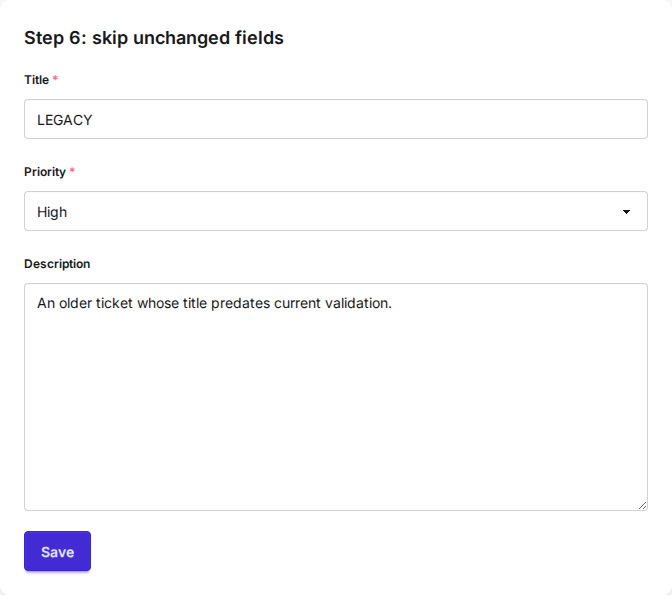
The steps so far create tickets. Editing an existing one runs into a different
problem: re-running validation on fields the user did not touch can reject
legacy data that is fine to leave alone. Take a ticket titled LEGACY, saved
before this validator existed:
# models.py
def reject_legacy_title(value):
    if value == "LEGACY":
        raise ValidationError("Legacy titles are no longer allowed.")


class Ticket(FormworkModel):
    title = models.CharField(max_length=200, validators=[reject_legacy_title])
    # assignee, priority, description, screenshot ...
Set validate_dirty_only on a FormworkModelForm whose model inherits
FormworkModel; the model base brings the dirty-field tracking the form needs.
The field list holds only what this page edits.
# forms.py
class TicketEditForm(FormworkModelForm):
    class Meta:
        model = Ticket
        fields = ["title", "priority", "description"]
        validate_dirty_only = True
The view binds the form to the existing instance and saves as usual:
# views.py
def cookbook_step6(request):
    ticket = Ticket.objects.order_by("pk").first()
    if request.method == "POST":
        form = TicketEditForm(request.POST, instance=ticket)
        if form.is_valid():
            form.save()
        if request.headers.get("HX-Request") == "true":
            return render(request, "cookbook/_ticket_form.html", {"form": form})
        return render(request, "cookbook/step6.html", {"form": form})
    return render(request, "cookbook/step6.html", {"form": TicketEditForm(instance=ticket)})
Editing only the description of the LEGACY ticket now validates and saves.
Unchanged fields skip their field validators, clean_<field> methods,
model-level validation, and unique and constraint checks; their stored values
carry through untouched. On create, the model's full_clean() covers every
field as usual. See the forms reference
for the exact rules.
On this form, data-formwork-dirty from step 3 highlights the fields you
changed, which is the set that the server validates. The two mechanisms are
independent. The browser draws the highlight, and the server decides what to
skip by comparing the posted data against the loaded instance, with or without
the attribute.
Going further
- Validation can run async. The form base classes accept async
clean_<field>andcleanmethods; async views callawait form.ais_valid()andawait form.asave(). See async validation. - Search does not need
search_fields. Without them,search_querysetreadsrequest.GET["q"]itself and returns its rows best first, for example from full-text search. On PostgreSQL,search_ranked=Trueranks the matches and forgives typos. See server-side search. - Several forms on one page can each autosave their own fields of one row. See section forms.
- The full example
is a small task manager that combines these patterns with
SelectMultiple,DatePicker, and a multi-step wizard.
The Forms, Widgets, and Views references document the details.